
JavaScript filter() is a array methods. It is used on a filter data from existing original array with provided matching test condition. and return new array. It is dose not changes on original array. It is a best way to handle filter data.
In this blog, We will learn how JavaScript filter works, Definition, Syntax, What is array filter, Simple and real-world example, filter vs map vs forEach, and how to use filter in JavaScript.
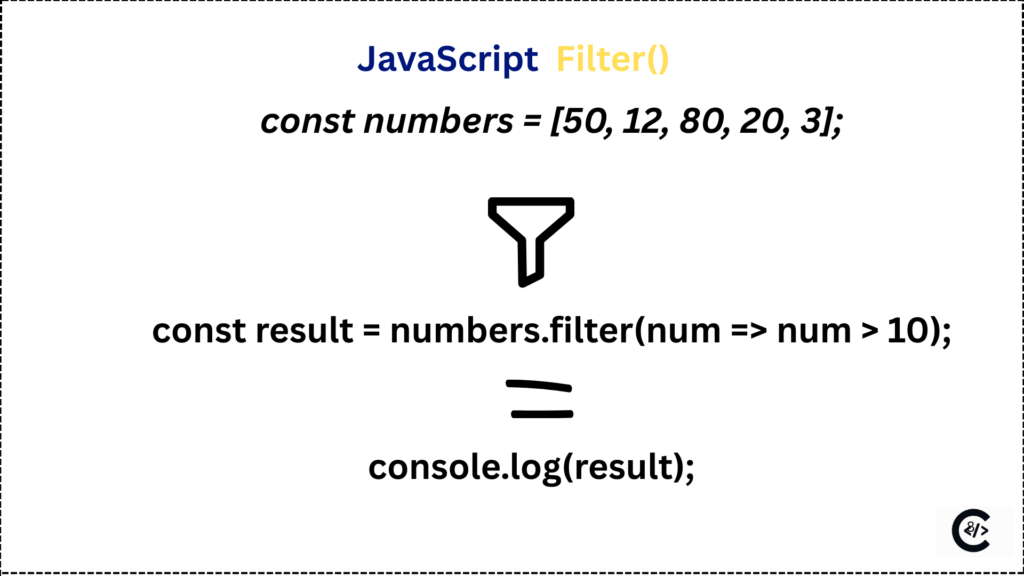
What is JavaScript filter()?
The filter() methods is use for a filter a data of the provided array using test condition using the callback function. filter method return as new array. It is doesn’t change on original array. We will learn the JavaScript filter method with example. is a most important of interview questions.
Filter is a JavaScript array built-in methods.
Key Characteristics of filter method:
filter() methods return a new array.
It is not modify the original array.
filter() is working with array only, so it’s called the JavaScript array filter.
Syntax of the filter()
Syntax is structure of filter methods. In the filter() in JavaScript have a the thee params element, index, array.
element : is a current value of the array and it is a callback function.
index: is a position of an array elements.
array: is a existing array and it is optional parameter in filter.
array.filter((element, index, array) => {
  return condition;
});
Filter method always return new array using return keyword.
JavaScript filter method with example
Simple example : Filtering Logged-In Users
const users = [
  { name: "Amit ravat", isLoggedIn: true },
  { name: "Riya seman", isLoggedIn: false },
  { name: "Karan raj", isLoggedIn: true },
  { name: "Neha sim", isLoggedIn: false }
];

const loggedInUsers = users.filter(user => user.isLoggedIn);

console.log(loggedInUsers);
Output
[
  { name: "Amit ravat", isLoggedIn: true },
  { name: "Karan raj", isLoggedIn: true }
]
This is example is showing the filtering the logged-in users. it is return new array with Amit ravat and Karan raj record. it is not change the original array.
Real-World Example: Filtering Active Subscription Users
const usersList = [
  { name: "Aarav nath", subscription: "premium", isActive: true },
  { name: "Neha Panchal", subscription: "free", isActive: true },
  { name: "Rohan kesariya", subscription: "premium", isActive: false },
  { name: "Simran khan", subscription: "premium", isActive: true },
];
We have defined the usersList. We want to show only active premium users, so We have to define the filter methods.
Solution using filter();
const activePremiumUsers = users.filter(user => {
  return user.subscription === "premium" && user.isActive;
});

console.log(activePremiumUsers);
Output:
[
  { name: "Aarav nath", subscription: "premium", isActive: true },
  { name: "Simran khan", subscription: "premium", isActive: true }
]
On user list we have only two record for active premium users so filter methods return the full record of the Aarav nath and Simran khan.
How filter() Works Internally
First JavaScript run the loop of an array.
Second The callback function run on every element of array.
Third If condition return true The element added to new array.
Fourth If condition false then It skip the current element.
Filter is use for the conditional rendering and data screening. They are four step is prove the how does filter work in JavaScript.
filter() vs map() vs forEach()
Here are the difference between filter() and map() and forEach(); We will showing on details.
| filter() | map() | forEach() |
| filter is return a new array. | map is a return a new array. | forEach is return undefine. |
| It is not modify the original data. | It is modify the original data. | It is change the original data. |
| filter methods is Removes items. | map method is not Removes item. | forEach method is not Removes the item. |
| It is bear for selecting data. | It is best for Transforming data. | It is best for Side effects. |
Why use The filter() methods in JavaScript?
There are many resin use for the filter() method. Code is ridable, Easy to maintain, Data filtering, Search features, Validation, Calculation filtering, Age filtering, API response handing, error handling.
filter() is best way to filter data from the large data set without the creating extra code.
it is use full for the JavaScript, Vue, React and React Native applications.
Advantages of JavaScript filter()
Filter is simple and easy to understand compare to other loops.
Original array is safe because it is a create a new array.
Perfect for data filtering and permission related task.
Less code so no bug.
Disadvantages of JavaScript filter()
Performance issues for large data because it check every array elements.
Get only one item avoid the filter and use find() methods.
Filter create a new array so facing the memory issues.
It is not best for heavy performance tasks.