
In modern web development, websites or applications are more UI/UX-friendly are preferred. One important of UI/UX is how images are displayed on the web. Every image should be properly aligned within the layout. Therefore, center an image in html layouts and following best practices for images in HTML is essential for a better UI/UX.
In this guide, you will learn how to center an image in HTML, from basic techniques to modern CSS methods with example and html code.
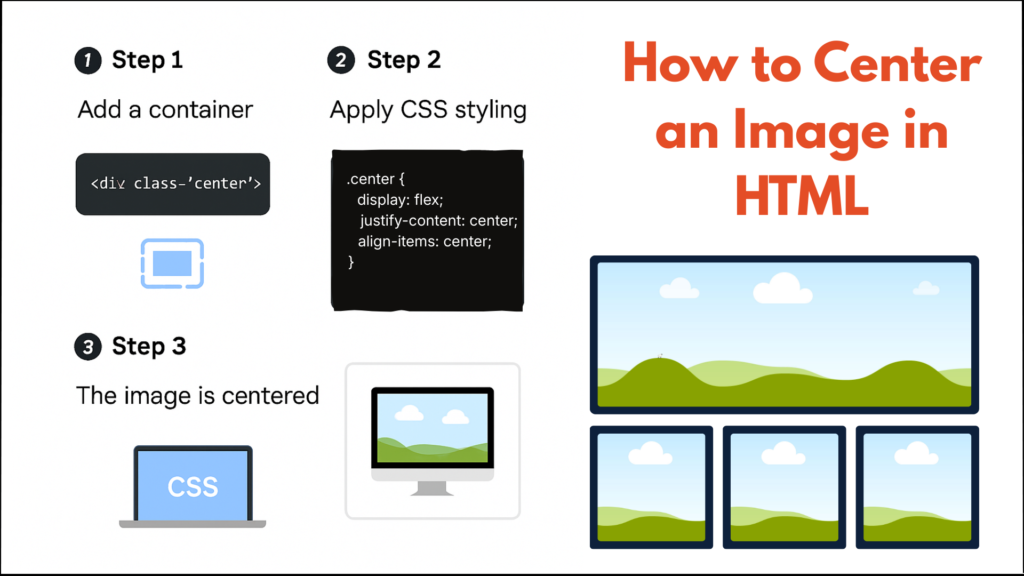
Why Centering Images Matters in Web Design
Images that are not properly aligned can make a website look unprofessional and bed user experience the many reasons:
You can Improve the page layout.
Enhance user engagement.
Maintain responsive design center image using CSS grid.
There are many methods to center image in HTML. According to web standards defined by MDN Web Docs, CSS provides multiple ways to align elements properly.
How to Center an Image in HTML Using CSS
In the centering an image with css is the most common way to center images in HTML using the margin and text-align css property.
You can use the margin and text-align property inline or external css.
Centering an image with CSS (margin, text-align, flexbox)
There are three methods of center an image with css such as margin : auto , text-align : center, and flex box for vertical or horizontal.
Method 1: Center an Image Using CSS margin: auto
This method is used for center image using CSS margin attributes. We can pass the margin values with px, rem, percentage and auto. We will show example using CSS image positioning display block and margin auto.
Example: margin : auto
<img src="/src/Images/image.jpg" alt="Centered Image" class="center-img-with-auto">

<style>
.center-img-with-auto {
  display: block;
  margin: auto;
}
</style>
Why This Works
display: block is convert the inline to block. It is help for responsive image.
margin: auto is a convert the image to horizontally so it is the solve the problem how to center image horizontally HTML.
It is best for modern website developments and It is working very well in all browser so no need to create extra code.
margin: auto is not best for complex responsive designs.
Method 2: Center an Image Using text-align: center
This methods is used for center an image align with parent elements.
Example: text-align: center
<div style="text-align: center;">
  <img src="image.jpg" alt="Centered Image using text-align css property">
</div>
When use text-align: center
It is use full for center multiple image with inline elements.
Also, you can use with simple layout
It is not best for complex responsive image design.
Method 3: Center an Image Using Flexbox
Flexbox is perfect for responsive layouts for align image center in HTML. and It is best way to handle responsive design using display:flex css properties. We will see on practical example. if you combine layout techniques with logic such as theJavaScript filter() method to dynamically display images on web pages.
<div class="main-img-container">
   <img src="apple.jpg" alt="Center an image in HTML using Flexbox">
</div>

<style>
.main-img-container {
  display: flex;
  justify-content: center;
}
</style>
Benefits of Center an Image Using Flexbox
Easy to understand for beginner developer. more responsive.
Easy vertical and horizontal alignment.
Ideal for modern UI layouts
Method 4: Center an Image Vertically and Horizontally
You want to display an image in center of the page, vertically or horizontally. The CSS Flexbox is solution of the both. We will see one by one First horizontally and Vertically with example.
Center an Image Horizontally
If you want to display Center an image in HTML horizontally, use CSS margin: auto. This is the Simple methods.
<img src="center-image-html.jpg" alt="Center an image in HTML horizontally" class="center-horizontal">

.center-horizontal {
  display: block;
  margin-left: auto;
  margin-right: auto;
}
How it working
display: block It is give the rights of an image as block level.
margin-left and margin-right set to auto center the image.
It is use for a blogging images, content or simple layout.
Center an Image Vertically
If you want to display Center an image in HTML vertically, The image parent elements must be a container. So Flexbox will be the best solution.
HTML and CSS code
<div class="vertical-container">
  <img src="center-image-html.jpg" alt="Center an image in HTML vertically">
</div>

.vertical-container {
  display: flex;
  align-items: center;   /* vertical center */
  height: 100vh;
}
display: flex enables Flexbox layout, align-items: center centers the image vertically and
height: 100vh gives full height.
Method 5: Using CSS Grid
CSS Grid allows to precise alignment control. but it is not beginner friendly.
<div class="grid-center">
  <img src="grid-image.jpg" alt="Centered Image using css grid">
</div>

<style>
   .grid-center {
       display: grid;
       place-items: center;
    }
</style>
Best Practices for Centering Images in HTML
Avoid the inline style.
use responsive max-width: 100%
Always use the alt attribute.
You can Start with margin: auto, and use Flexbox or Grid for advanced layouts.