
React useEffect hook is one of the most important hooks in React . In this beginner-friendly guide, you’ll learn React useEffect Hook with Examples, how useEffect works, how the dependency array behaves, and React useEffect Hook with Examples like data fetching and cleanup functions, and best practices for beginners.
React is the JavaScript library. It is provide multiple hooks with different behavior. If you want to fetched data, handled side effects, or synced your UI with external data, you needed useEffect hook.
React useEffect Hook Topic :
- What the React useEffect hook.
- How the dependency array works
- Best practices from React useEffect documentation
- React useEffect Hook with Examples
- Data fetching using fetch and axios
- Cleanup functions and why React useEffect is called twice
This is the easy to understand so you can learn.
What is the React useEffect Hook?
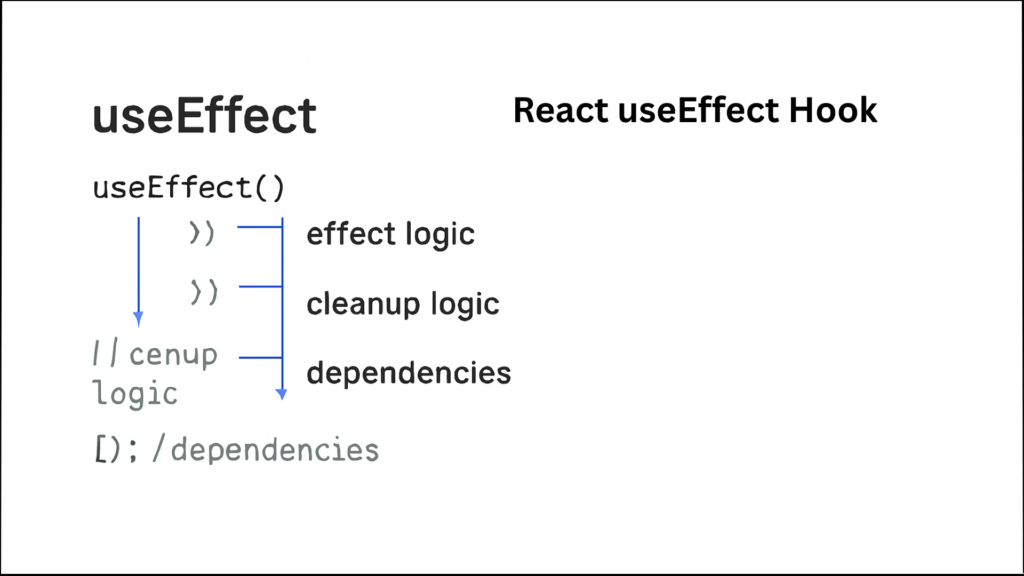
According to the React useEffect documentation, useEffect is allows you to execute your code on render time. It is use full to the perform side effects in functional components.
Side effect includes the Fetching data from an API, Timers and intervals and Updating the document title.
If the dependency array is empty then it is render only first time, If you want to render, You must to pass the dependency array elements.
React useEffect Hook Explanation (In Simple Words)
If you want to run the specific code after React render the components. use Effect is working with current components is not available on parent or child components. For Example Parent components have a separate use Effect and child components have separate use Effect.
React useEffect Hook with Examples
Hear is the simple react useEffect example which is cover the import the hooks from react library and render and display the console.log.
import { useEffect } from "react";

function App() {
  useEffect(() => {
    console.log("Component rendered on react web application");
  }, []);

  return <h1>Hello React useEffect Example </h1>;
}
React useEffect Dependency Array Explained
The React useEffect dependency array is controls of react application and it is decide the when the effect run. For better performance optimization in React, you should also understand these hooks:
Difference Between useMemo and useCallback Hook.
Empty Dependency Array (Run Once)
This code is run only for one first time and page refresh time.
useEffect(() => {
  console.log("Runs only once ");
}, []);
It is best use full for the API calling and Initial setup. and Empty Dependency Array is best prentices of every react developer.
Dependency Array with State
In react application state is most important. If you pass the state variable on on useEffect Dependency Array. which means when state change react automatically render the useEffect().
import { useState, useEffect } from "react";

function Greeting() {
  const [name, setName] = useState("Guest");

  useEffect(() => {
    console.log("Name changed to:", name);
  }, [name]);    //dependency array

  return (
    <div>
      <h2>Hello, {name}</h2>

      <button onClick={() => setName("Rahul khan")}>
        Change Name
      </button>
    </div>
  );
}

export default Greeting;
In this example name is react state, useEffect is used a name state. when you change the name then useEffect run again and print the message on the browser console.
In sort, useEffect runs only when user click on Change Name button.
React useEffect Fetch Data Example
The react useEffect work not only for re render only state changes but also working with Data fetching from the server and display on the UI. If you are fetching data inside useEffect, then it is very important to first understand the JavaScript Fetch API.
Using fetch api
import { useEffect, useState } from "react";

function AdviceBox() {
  const [advice, setAdvice] = useState("Loading...");

  useEffect(() => {
    fetch("https://api.adviceslip.com/advice")
      .then((response) => response.json())
      .then((data) => {
        setAdvice(data.slip.advice);
      });
  }, []); // empty dependency array

  return (
    <div>
      <h2> Advice of the Day</h2>
      <p>{advice}</p>
    </div>
  );
}

export default AdviceBox;
In this example When component loads, it fetches 1 random advice from an API and display on the UI.
React useEffect Axios Example
import { useEffect, useState } from "react";
import axios from "axios";

function DogMood() {
  const [dogImage, setDogImage] = useState("");
  const [loading, setLoading] = useState(true);

  useEffect(() => {
    axios
      .get("https://dog.ceo/api/breeds/image/random")
      .then((response) => {
        setDogImage(response.data.message);
        setLoading(false);
      })
      .catch(() => {
        setLoading(false);
      });
  }, []); //  runs once

  return (
    <div>
      <h2>Dog Mood Today</h2>

      {loading ? (
        <p>Loading dog...</p>
      ) : (
        <img src={dogImage} alt="Dog" width="300" />
      )}
    </div>
  );
}

export default DogMood;
In this example, When Component loads it will fetch the one random dog image using axios. and display the dog on the UI. You must install the axios package.
React useEffect Cleanup Function
The react use Effect cleanup function is prevents memory leaks.
useEffect(() => {
  const timer = setInterval(() => {
    console.log("Running...");
  }, 1000);

  return () => {
    clearInterval(timer);
  };
}, []);
This React useEffect cleanup runs when:
Component unmounts and Dependencies change.
The most Important part of React useEffect hook documentation.
Why Is React useEffect Called Twice?
There are many reason for React useEffect twice and many developers ask why React useEffect is called twice. we will see on details.
Reason:
React Strict Mode in development
This is intentional.
It is use full for only in development, not production environment.
Helps detect side-effect bugs.
React useEffect Best Practices
These are the React useEffect dependency array best practices You must follows.
Always add dependencies on to the useEffect.
Do not add the unnecessary effects on your code. because It is create the memory leak and performance problems.
Must Use cleanup functions.
Define the Separate multiple effects instead of one large effect.
Do not ignore ESLint warnings.
Final Thoughts of react.js useEffect hook
The React useEffect hook is powerful. If you understand, How useEffect work with dependency array and applying cleanup functions, You can create the fast react application. This guide on React useEffect Hook with Examples should help understand how to use it in real-world React projects. If you want to build a strong foundation and stay future-ready, follow this guide: Learn JavaScript in 2026 – Complete Roadmap